

Go to the Billing Portal
Visit billing.xahosting.co in your browser. Make sure to be logged in.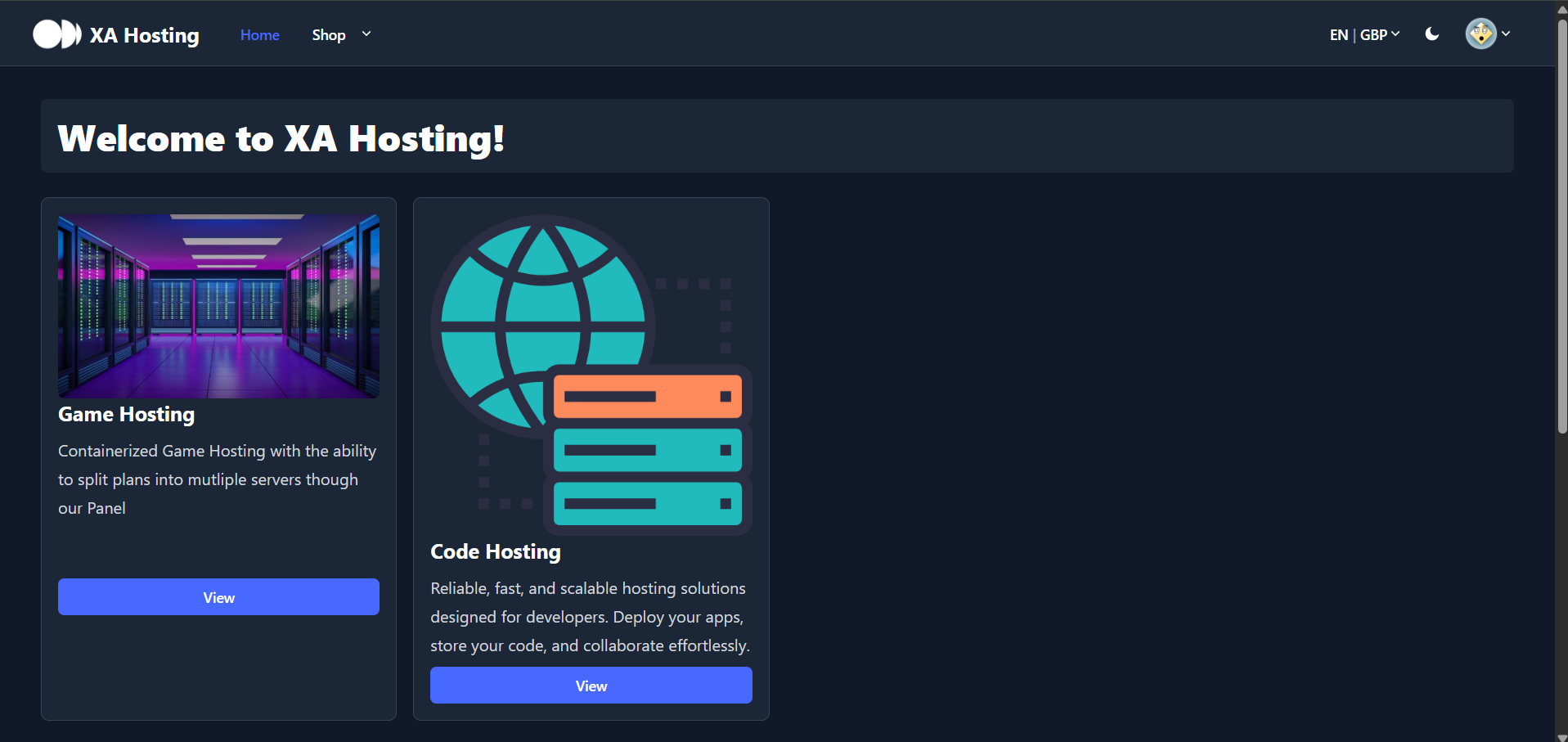
Access Your Dashboard
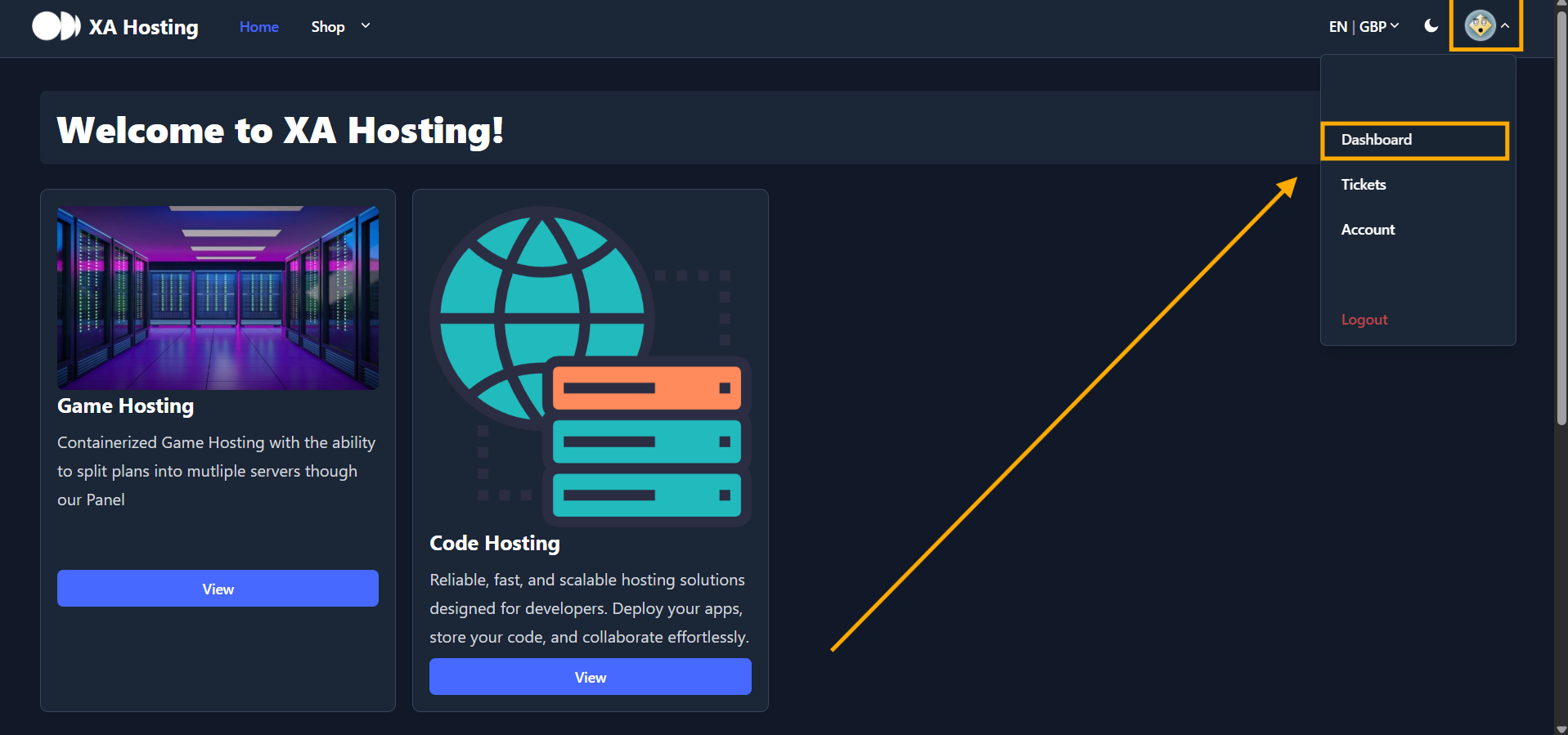
- Click your profile picture at the top of the page.
- Then, click
Dashboard.
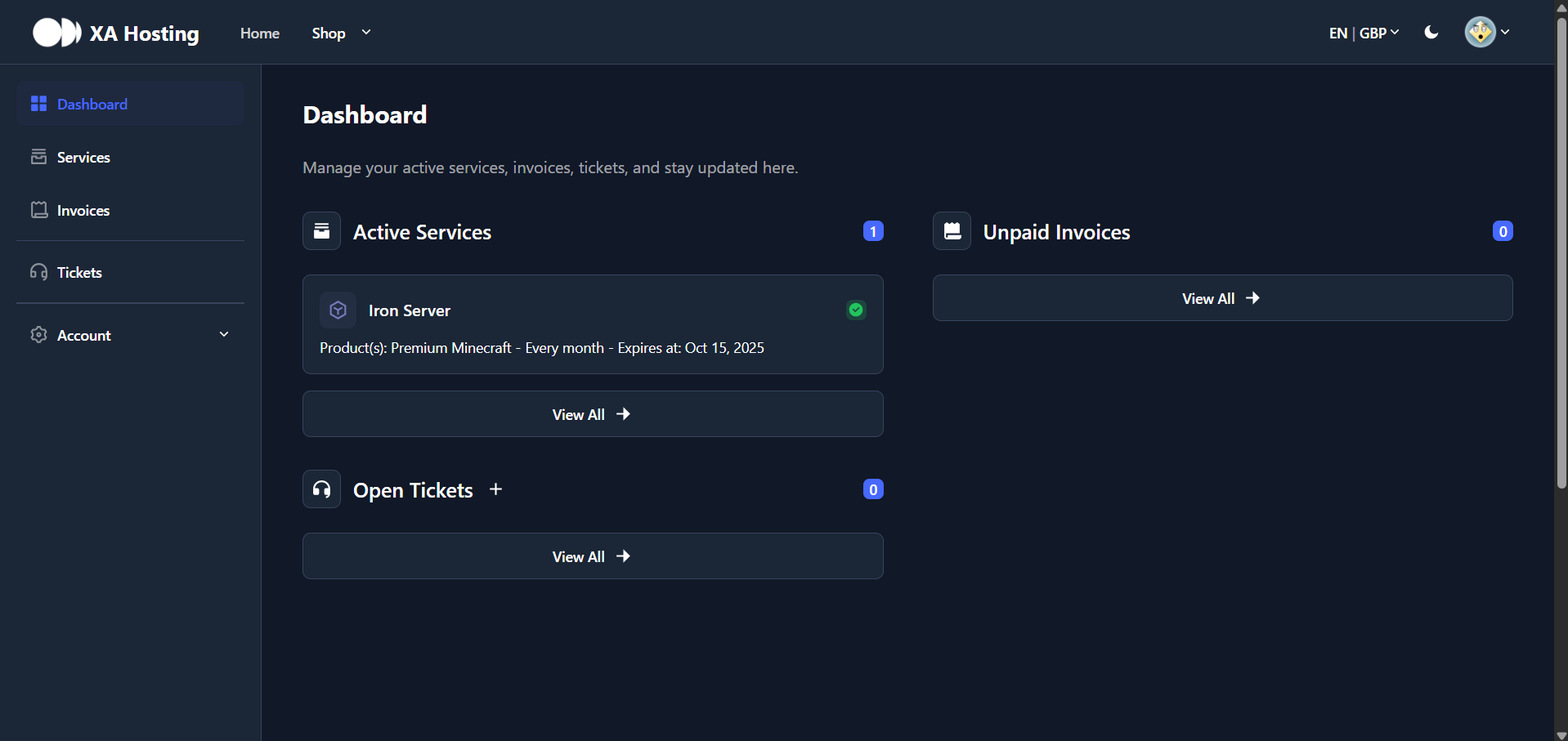
- You will be redirected to a page showing your
Active Services,Unpaid Invoices, andSupport Tickets.
Select Your Plan
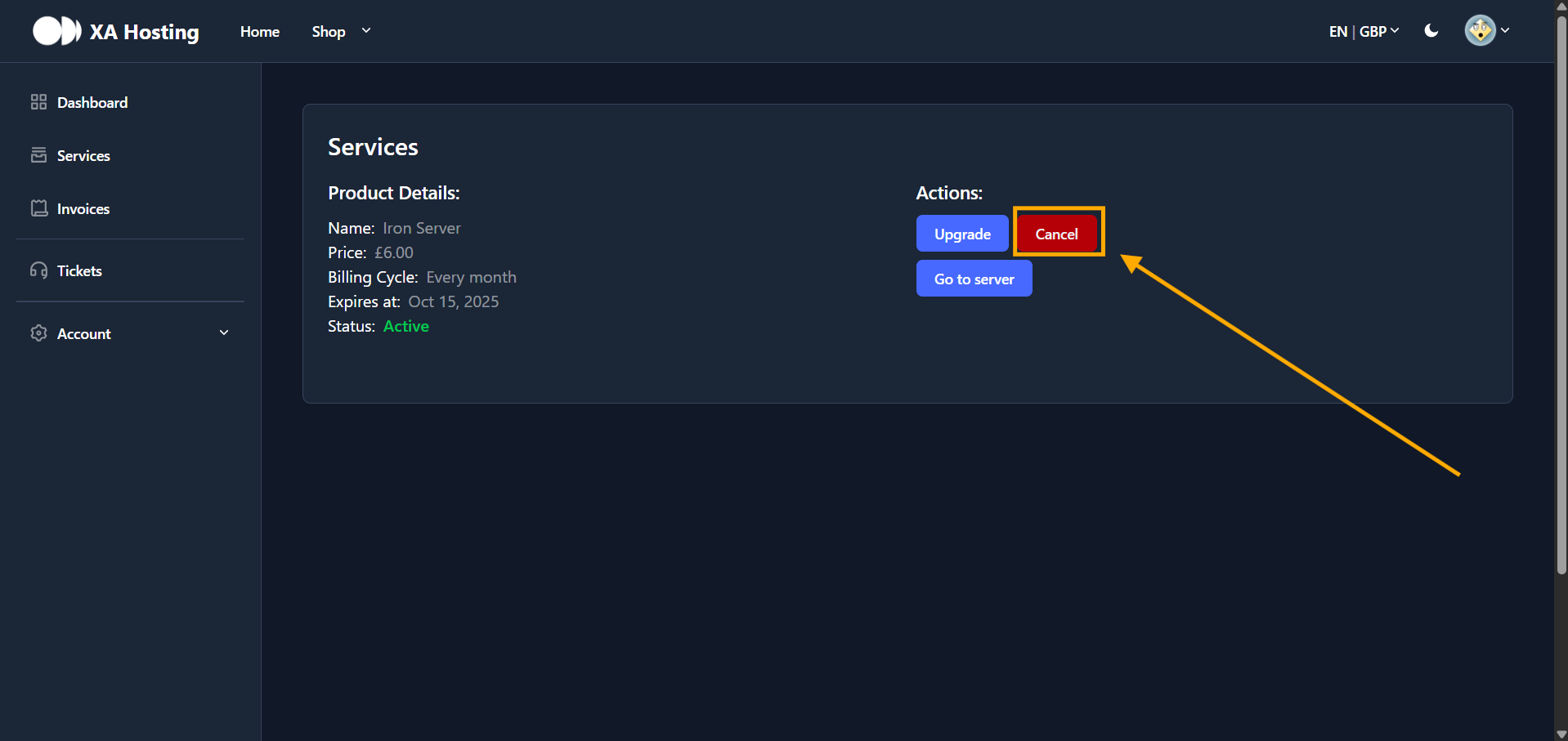
- Locate the service you want to cancel.
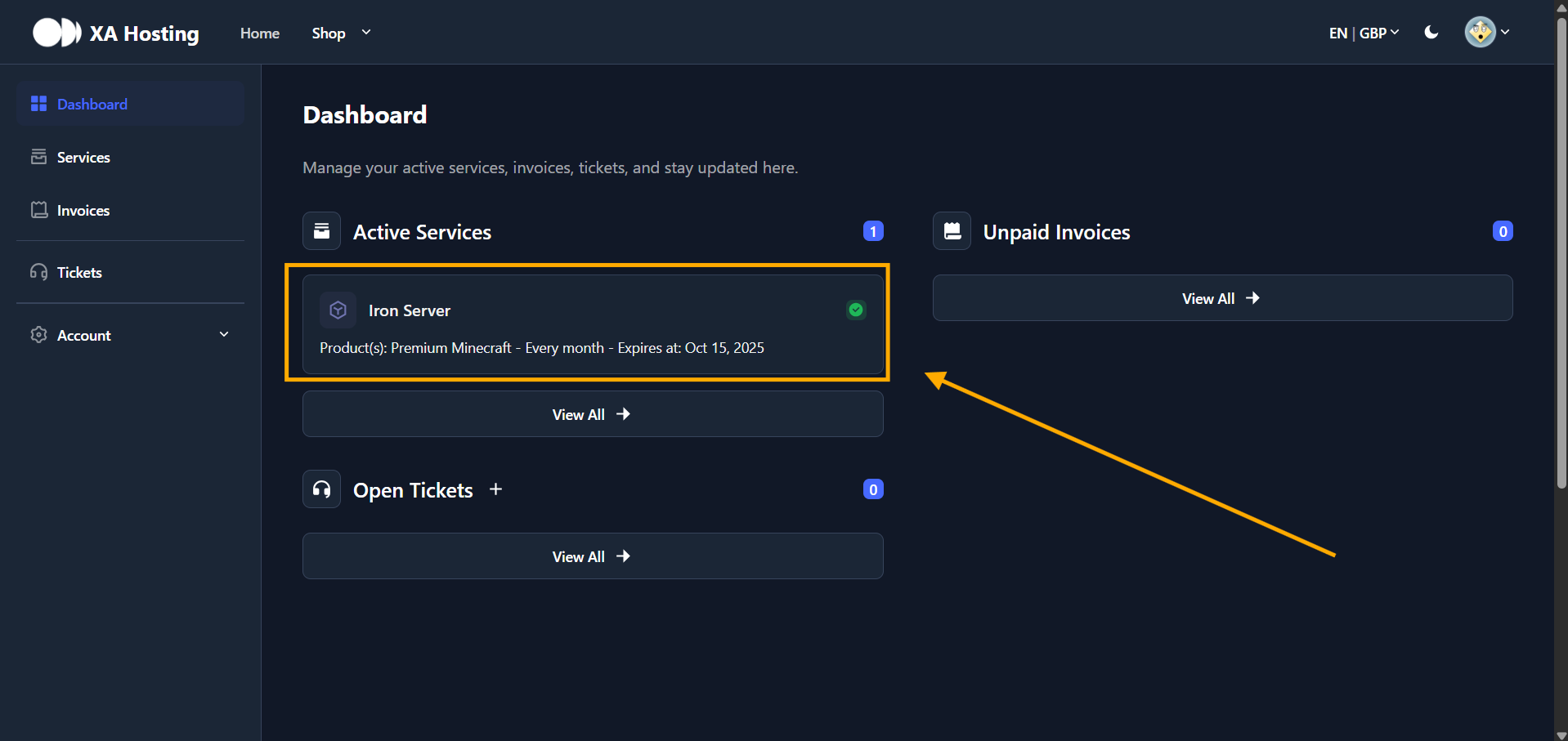
- Click on your plan, then click the
Cancelbutton.
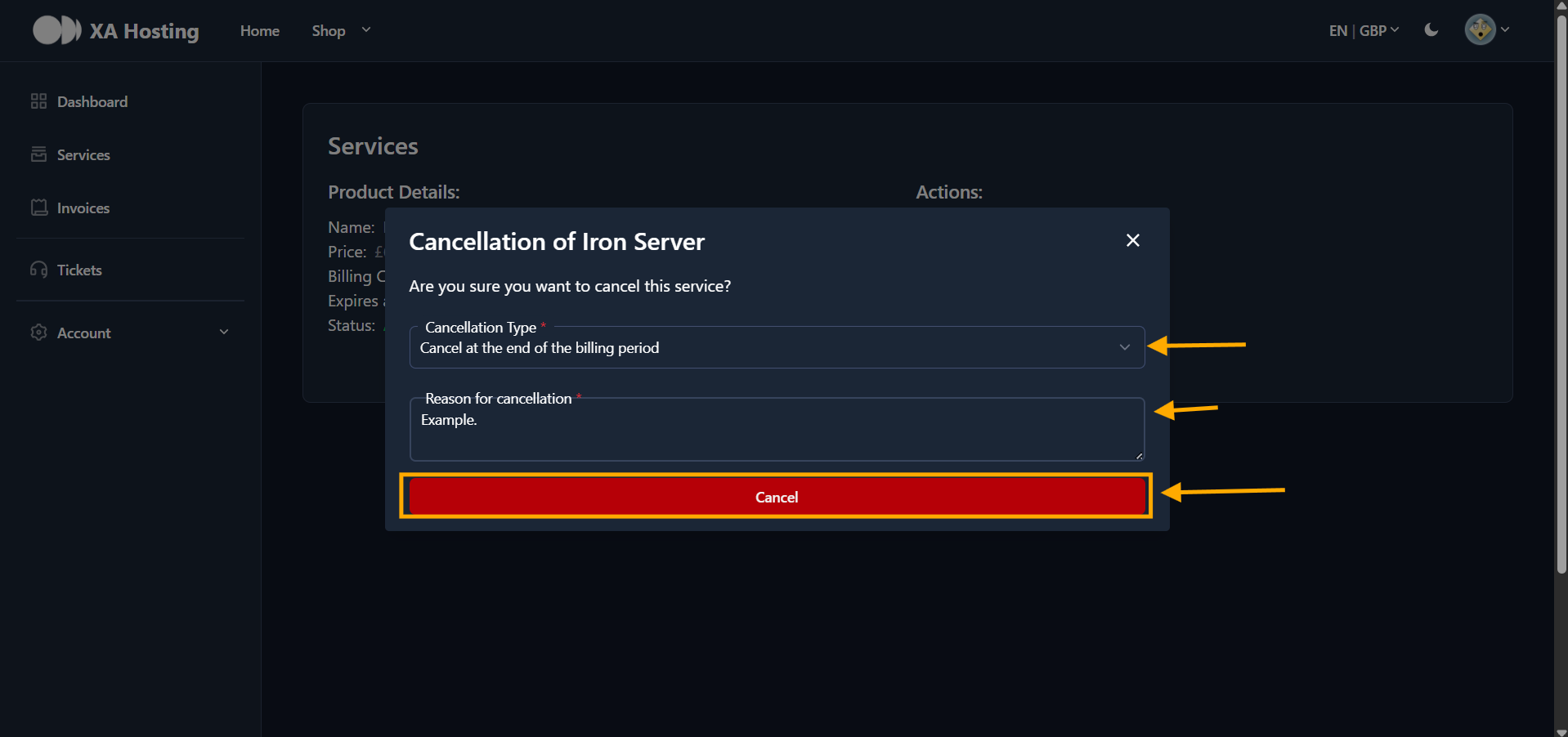
You have successfully cancelled you plan in a few steps.