

Custom Domain Setup
Learn how to connect a custom domain to your server. (e.g. mc.xahosting.com)A Record
- Type: A
- Name:
@(optional; add a prefix likemcfor mc.xahosting.com) - IPv4 Address: Server IP (Numerical)
- Proxy Status: DNS Only
- TTL: Auto
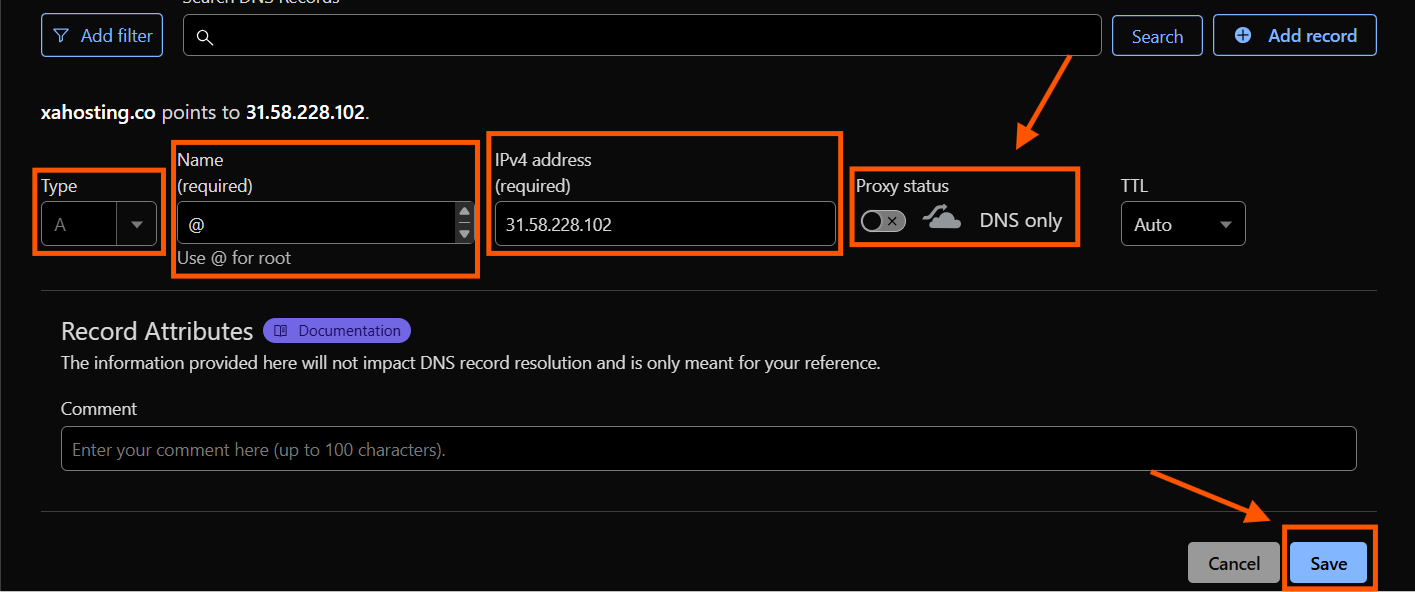
SRV Record
- Type: SRV
- Name:
_minecraft._tcp - Priority: 0
- Weight: 0
- TTL: Auto
- Port: Your Server Port
- Target Full host
(e.g. mc.xahosting.com or xahosting.com)
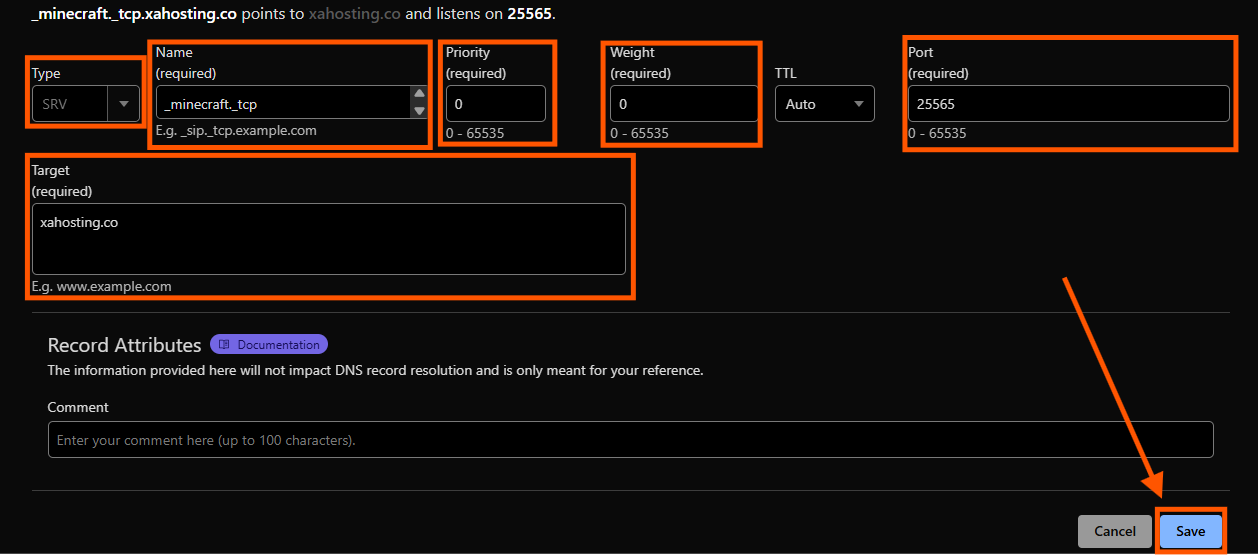
Contact Support
You may need to wait anywhere from 5 minutes up to 24 hours for the changes to take effect. We recommend checking every hour. If you need further assistance, please open a ticket on our Discord or through the Billing Portal.”
Subdomain Setup
Go to the Game Panel
- Open panel.xahosting.co in your browser.
- Select your server.
Navigation
Scroll down and click More, then select Subdomain. After that, go to the top-right corner and press 
Create Subdomain.

You have a domain/subdomain setup on your server and can use that to join!